
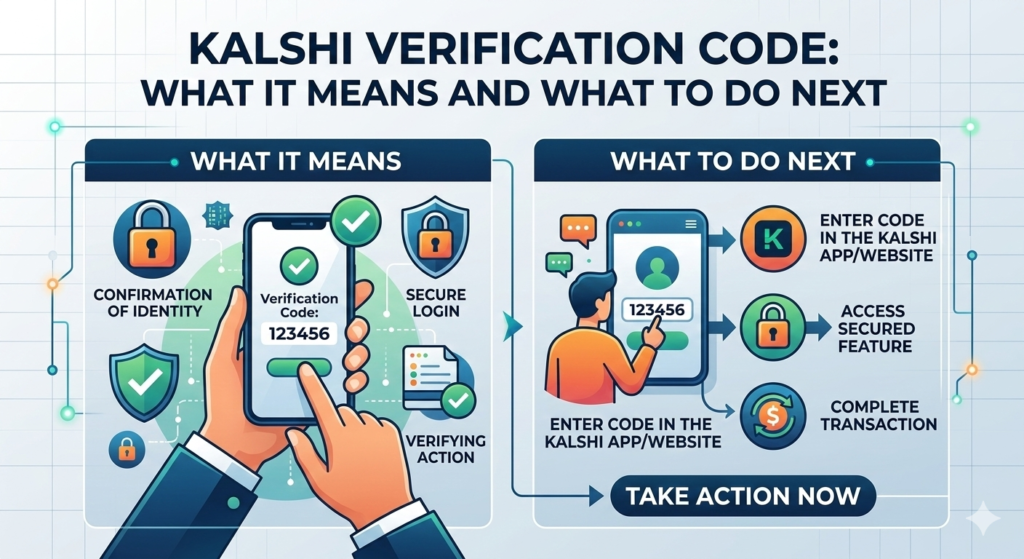
Picture this: your phone lights up with a message containing a Kalshi verification code — yet you have not been anywhere near the app. For most people, that small interruption triggers an immediate question: did something just happen to my account?
In most situations, the answer is no. A random verification code is not always a red flag, and there are quite a few routine explanations for why one turns up unannounced. This guide breaks down what Kalshi is, how its verification system works, the main reasons you might receive a code without prompting it yourself, and the practical actions to take right now. It also walks you through how to delete your Kalshi account if you have decided the platform is no longer something you want to be part of.
What Is Kalshi? Understanding the Platform
To make sense of why a verification code matters, it helps to know what kind of platform Kalshi actually is. Founded in 2018 and headquartered in the United States, Kalshi is a federally regulated prediction market exchange. It answers to the Commodity Futures Trading Commission (CFTC), placing it among the handful of fully licensed event-contract platforms operating legally in the country.
Rather than trading shares or digital currencies, Kalshi users take positions on the outcomes of real events. Will the Federal Reserve cut rates at its next meeting? Will a specific piece of legislation make it through Congress? How will the next employment report land? Every market on the platform settles as a simple yes or no, and participants buy or sell contracts based on their expectations.
Given that real money changes hands and the platform sits within a regulated financial framework, Kalshi treats account security and identity verification with a high degree of seriousness. Understanding that context makes the verification code system much easier to follow.
What Is a Kalshi Verification Code?
A Kalshi verification code is a short sequence of numbers or characters — delivered to your registered phone number or email address — that acts as a temporary identity check. It forms part of a broader security framework called two-factor authentication (2FA) or multi-factor authentication (MFA).
The logic behind it is straightforward. A password alone can be guessed, stolen, or exposed in a data breach. By requiring a second piece of proof — a code sent only to a device you physically hold — the system makes unauthorized access dramatically harder. Even someone who knows your exact login credentials cannot get into your account without that code arriving on your phone or in your inbox.
Common Triggers for a Kalshi Verification Code
Kalshi issues verification codes across a range of circumstances, including:
- Signing into your account from a device or browser that Kalshi does not recognize
- Resetting your password or making changes to your core account credentials
- Registering a brand-new Kalshi account and confirming your contact details
- Reactivating an account that has been dormant for a significant period
- Completing the Know Your Customer (KYC) identity verification process
- Triggering an automatic security alert due to an unusual or unrecognized login attempt
| Important: Every genuine Kalshi verification code originates from an official Kalshi email address or verified shortcode. No member of Kalshi’s team will ever contact you by phone or message to request your code. Anyone who does is attempting to deceive you — do not engage. |
Why Did I Receive a Kalshi Verification Code I Never Asked For?
If a code landed on your phone or in your email without any action on your part, you are not alone in wanting an explanation. There are several distinct scenarios that could account for it, ranging from completely harmless to something worth addressing promptly.
A Simple Typing Error by Someone Else
The most frequent cause is also the least worrying: a typo. When someone enters their own contact details into Kalshi’s sign-up or login form and makes a small keying error, they can accidentally submit your phone number or email address instead of their own. Kalshi dispatches a code to whatever contact was entered — which happens to be yours — and you receive a message that was never meant for you.
In this case, no data was accessed, no account was opened in your name, and nothing about your personal information was exposed. The right move is to leave the code alone, delete the message, and move on. Under no circumstances should you pass the code on to anyone who reaches out asking for it.
An Unauthorized Login Attempt on an Existing Account
A more pressing scenario arises when someone with your contact details is actively trying to log in to a Kalshi account — either one they have set up using your information, or your own existing account. The fact that the attempt stalled at the verification code stage is actually good news: the security layer did exactly what it was designed to do.
Your response here should be swift. Do not share the code with anyone. If you hold a Kalshi account, navigate directly to kalshi.com — not through any link in the message — and log in immediately. Scan your account for any changes to personal details, linked bank information, or recent transactions. If something appears out of place, get in touch with Kalshi’s support team without delay.
You Have Forgotten About an Old Account
It is easier than it sounds to lose track of an account you created and never really used. If you signed up on Kalshi at some point and the account has been sitting untouched, a scheduled security prompt or a password-reset request you submitted and completely forgot about could be the trigger. A quick search through your email archive for any past Kalshi registration messages will confirm whether an account exists under your name.
A Phishing Message Disguised as a Verification Code
Not every message that resembles an official verification code actually is one. Fraudsters occasionally craft convincing fake notifications designed to trick recipients into clicking embedded links or surrendering personal details. If the message you received includes a link alongside the code, or applies unusual pressure to act immediately, treat it with suspicion. Cross-check the sender’s address against official Kalshi domains, and if anything looks off, access the platform only by typing kalshi.com directly into your browser.
What to Do After Receiving an Unexpected Kalshi Verification Code
Your next steps depend on whether you currently hold a Kalshi account. Here is what each situation calls for.
If You Do Not Have a Kalshi Account
- Leave the code alone — do not type it into any website or app
- Delete the message from your device straight away
- Avoid tapping any links the message may contain
- If codes keep arriving, report the pattern through the official Kalshi contact page
If You Already Have a Kalshi Account
- Go directly to kalshi.com and sign in using your saved credentials
- Look through your recent account activity, profile details, and connected payment methods for anything unexpected
- Update your password right away if there is any chance someone else has been probing your account
- Switch on two-factor authentication if it is not yet enabled
- Contact Kalshi’s support team to report the unsolicited code and seek their advice
How to Delete Your Kalshi Account: A Step-by-Step Guide
Perhaps this experience has prompted you to step away from the platform, or you simply have an account gathering dust that you want to close. Either way, removing your Kalshi account is a manageable process when you follow the right sequence.
Step-by-Step: How to Close Your Kalshi Account
- Step 1: Sign in to your account at kalshi.com with your registered email and password
- Step 2: Open your account settings by selecting your profile icon, usually located in the upper-right corner of the screen
- Step 3: Browse through the Account, Settings, or Privacy tabs for a deactivation or account closure option
- Step 4: If no self-service closure option appears, head to the Help or Support area and raise a formal account-deletion request with the team
- Step 5: Withdraw any funds remaining in your account before proceeding. Transfers to your linked bank account generally clear within a few business days
- Step 6: Complete the deletion by confirming your identity through the verification link or code that Kalshi sends to your registered contact
Important Things to Know Before Closing Your Account
As a platform operating under federal financial regulation, Kalshi carries legal obligations to preserve certain categories of data for defined periods — even after an account has been formally closed. Records such as your transaction history, identity documents, and account-level data may be retained in line with those regulatory requirements. This is not a Kalshi-specific policy; it is an industry-wide standard that applies to regulated financial services providers.
If managing your personal data is the primary motivation for closing your account, reach out to Kalshi directly before submitting the deletion request. Ask them to outline their data retention schedule and confirm exactly which information they hold. That way, you have a clear picture before you make your final decision.
Best Practices for Keeping Your Kalshi Account Secure
Regardless of whether you continue using Kalshi or move on, building solid security habits around any online financial account is time well spent. These practices apply broadly but are especially relevant here.
- Create a password for Kalshi that is both strong and exclusive to this platform — never recycle it from another account
- Turn on two-factor authentication so that every login requires a code delivered to your device, not just a password
- Set a reminder to periodically review your account activity and linked payment methods for anything that does not belong
- Treat your verification code as you would treat your PIN number — share it with no one, including anyone claiming to represent Kalshi
- Use a reputable password manager to generate and securely store complex, unique credentials for every account you hold
- Approach unsolicited messages about your Kalshi account with healthy skepticism, particularly those containing links or requests for personal information
FAQ:
| 1: I received a Kalshi verification code but I have never signed up. Should I be concerned? A: In most cases, there is no cause for concern. The likeliest explanation is that another user accidentally entered your contact details when registering or logging in. No account can be opened in your name from a code being dispatched alone. Dismiss the message and delete it. If codes continue arriving at regular intervals, use the contact form on the official Kalshi website to raise it with their team. |
| 2: What exactly is Kalshi and can it be trusted? A: Kalshi is a prediction market exchange based in the United States that allows users to trade on the outcomes of real-world events rather than stocks or cryptocurrencies. It is regulated by the Commodity Futures Trading Commission (CFTC) — one of the most respected financial regulators in the country — which means it operates within a strict legal framework. It is a legitimate, licensed financial platform, not an unregulated betting or crypto service. |
| 3: Is it possible for someone to get into my Kalshi account without the verification code? A: No — that protection is precisely what the two-factor authentication system exists to provide. A person who somehow obtains your email address and password still cannot complete a successful login without the time-limited code sent directly to your registered device. If a code arrives without you initiating anything, treat it as a signal to change your password immediately and review your account for any suspicious activity. |
| 4: What is the best way to contact Kalshi about a verification code I did not request? A: Go directly to kalshi.com and navigate to the Help or Support section. From there, you can reach the team via live chat (where available) or by submitting a support ticket. When you write in, describe the situation clearly: note that you received a verification code without prompting it and include any details that seem relevant. Do not reply to the original message or interact with any links it contains. |
| 5: How long will it take for Kalshi to delete my account? A: Kalshi has not published a specific processing window for account deletions, but users generally find the process wraps up somewhere between a few business days and two weeks, depending on whether outstanding withdrawals or open market positions need to be resolved first. Clearing your account balance before you submit the deletion request tends to keep things moving. Bear in mind that, as a regulated entity, Kalshi may hold on to certain records for a set period after closure as required by applicable law. |
Wrapping Up: What a Kalshi Verification Code Is Actually Telling You
An unexpected Kalshi verification code is worth a moment of your attention — but rarely warrants full-blown alarm. The majority of the time, it traces back to something entirely mundane: a miskeyed entry during someone else’s login attempt, a security prompt your account generated automatically, or an old password-reset request you had long since forgotten about.
What matters most is how you respond. Hold on to the code and do not pass it to anyone. Stay away from any links the message contains. If you are an existing Kalshi user and you feel even slightly unsure, a two-minute check of your account dashboard will either put your mind at rest or surface anything that needs dealing with. Either outcome is more useful than guessing.
If all of this has pushed you toward closing your account, the process is well within reach. Clear out your balance first, submit your request through the proper channels, and the rest takes care of itself.
Still have questions or need to report something specific? Visit kalshi.com and use their official support center — it is the most direct and reliable route to a real answer.
For More Imformation
Related Article
Winter Paralympics 2026 Tickets: Prices, Events & How to Book
Britney Spears Arrested for DUI in California — What Really Happened
DJ Moore Bills Trade Official: Why the Bears Dealt Their WR1 to Buffalo
Lou Holtz Dead at 89: Legendary Notre Dame Coach’s Life, Legacy and Record Explained
9 thoughts on “Kalshi Verification Code: What It Means and What to Do Next”